 |
CutMaster 2D | Features | Download | Pricing | Purchase | Tutorials |
| Home | English | Español | Current version: v1.5.3 |
Quick How-To
Add Usable Offcuts to the Sheet List
If you haven't already done so, you will need to set the minimum dimensions of the offcuts you want to keep:
- Go to Options / Settings / View & report
- Enter desired values in the Scrap criteria - offcuts to keep fields.

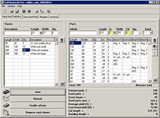
After calculation, press "Add usable offcuts to Sheet
list " in the main program window.

Usable offcuts will be automatically transferred
to the Sheet List for further use. You can enter a description for
these offcuts to make them easily recognizable in the list.

     |
© 2025, Code 011